[object Object]

AotterGirls Xixi | SuprOne Major Update. Key visual and computer screen are AI-generated illustrations.
The SuprOne you know is now even smoother to use! This service update reorganizes the actions you use every day, from reading text and playing audio/video to sharing your work and managing subscriptions. Whether you want to enjoy your favorite content at ease or turn your next idea into a finished piece, you'll find your own rhythm in a clearer, more comfortable interface.
Bigger Text, Longer Reading Enjoyment
The all-new "text enlargement" feature makes articles, menus, and interface text easier to read together. Once logged in, simply select it from the profile menu to continue reading at a comfortable size.
When browsing Fan Clubs on mobile, tags and info can be viewed with a tap and, once closed, pick up right where you left off. Post lists and long comments can also be expanded or collapsed, reducing screen switching and giving you more time to immerse yourself in the content.
Smoother Playback, Better Enjoyment of Great Content
Watching videos and listening to audio is now smoother than ever. Playback controls and the mobile viewing experience have both been improved, so you can focus your attention on the work and enjoy every piece creators have carefully prepared.
From Inspiration to Publishing, Easier to Organize
A more spacious editing screen lets you organize text, images, videos, audio, and files all in one place. Word, Markdown, TXT, or PDF files you've already written can also be imported and edited further. Once your work is finished, sharing settings for making it public or reserving it for subscribers are clearer than ever; and a reminder before leaving the editing screen helps you keep track of unsaved content.
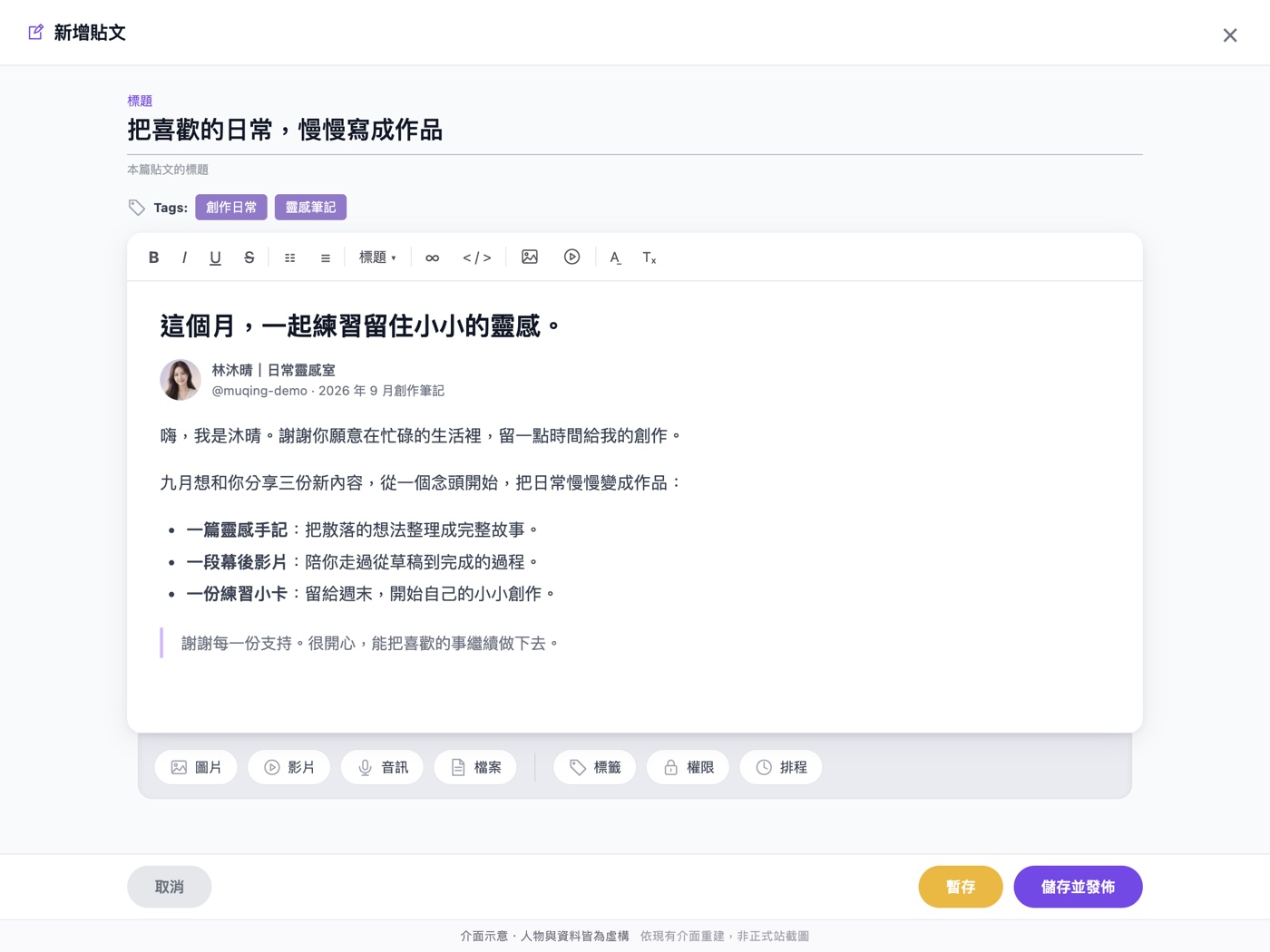
New post editor interface illustration. The screen has been recreated based on the new components; the creator Lin Muqing, the AI avatar, and all data shown are fictional examples.
Easier to Find Great Content, Clearer Support
The Discover page combines search, categories, and card/list view switching, helping you find creators and topics of interest based on your preferences. The favorites list is also more clearly organized, so content you want to revisit is easy to find when you come back. Clear indicators show loading status, whether there's more to load, or when you've reached the end; if loading fails, you can simply tap "Reload" to try again.
Supporters can view their subscription status and payment history in one place, while creators can more easily manage subscribers, payments, and expense details, giving every bit of support a clear record and making day-to-day management more manageable.
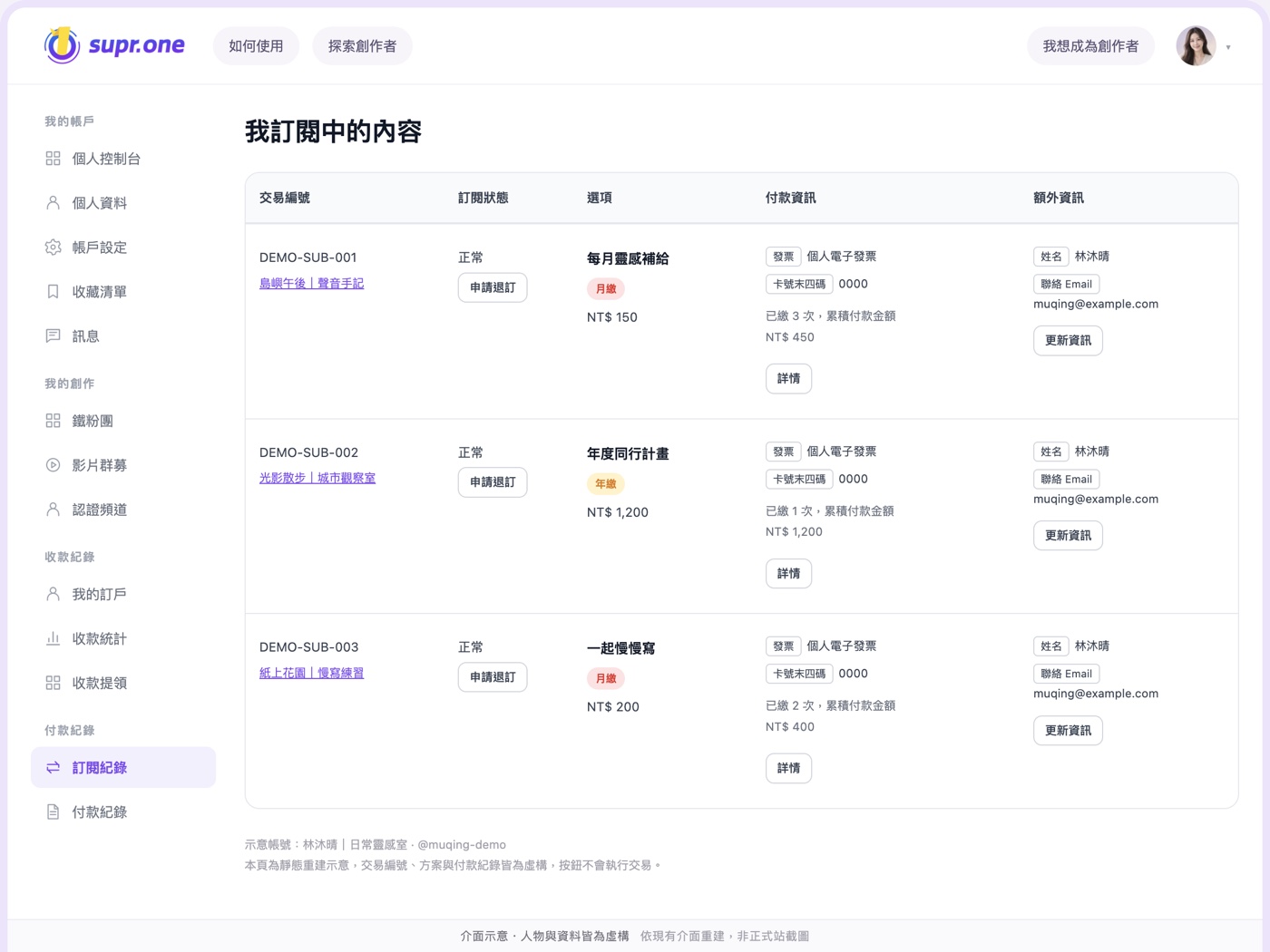
New subscription management interface illustration. The screen has been recreated based on the new components; the people, accounts, plans, dates, amounts, and card numbers are all fictional data and do not represent actual member records or guaranteed income.
Start for Free, Let Your Creations Keep Getting Supported
On SuprOne, you can get started for free. Choose the approach that suits you: subscriptions, one-time support, pay-per-post, or digital content. Platform service fees apply based on withdrawal amount tiers, starting as low as 11%, so accumulated support becomes the foundation for your next creation.
Now explore the new SuprOne, or start creating, and keep doing what you love.
Fee details: The platform service fee is 11–20% of the amount after deducting the payment processing fee, based on the withdrawal amount tier and the rates in effect at the time. The payment processing fee is calculated separately at 2.75% of the transaction amount, with a minimum of NT$5; the above fees are rounded to the nearest whole dollar, and the final amount received is subject to applicable taxes. See the Terms of Use for details.